2025.5 Release Notes
Schedule
For an explanation of the zones, refer to Where am I hosted?
| Zone | Date | From (UTC) | To (UTC) | Duration |
|---|---|---|---|---|
| Limited Release and UK Limited Release | 11. September, 2025 | 01:00 | 05:00 | 4 hrs |
| America East 1, 2 & 3 | 18. September, 2025 | 01:00 | 06:00 | 5 hrs |
| America West 1, 2, 3 & 4 | 25. September, 2025 | 01:00 | 06:00 | 5 hrs |
|
UK, UK 2, UK 3, EU 1 (English), and German |
24. September, 2025 | 19:00 | 00:00 | 5 hrs |
|
Australia 1, 2 & New Zealand |
25. September, 2025 | 14:00 | 16:00 | 2 hrs |
| Spanish | 25. September, 2025 | 01:00 | 03:00 | 2 hrs |
IMPORTANT All dates are subject to change. For up-to-date information on scheduled releases, refer to the Kaseya Status Page.
New Features
Umbrella Contracts
With this rollout, you can now streamline contract management with the new Umbrella Contract feature in Autotask. Umbrella contracts let you group multiple contract arrangements—such as services and time & materials—into a single, intuitive container. Enhanced UI/UX features, such as in-frame drawers, table search and filtering, and in-line editing, make it easier to view, manage, and report on all contract data. You’ll benefit from improved visibility, simplified billing, and a more efficient way to manage complex contractual relationships across your organizations.
Refer to Creating an umbrella contract for more information.
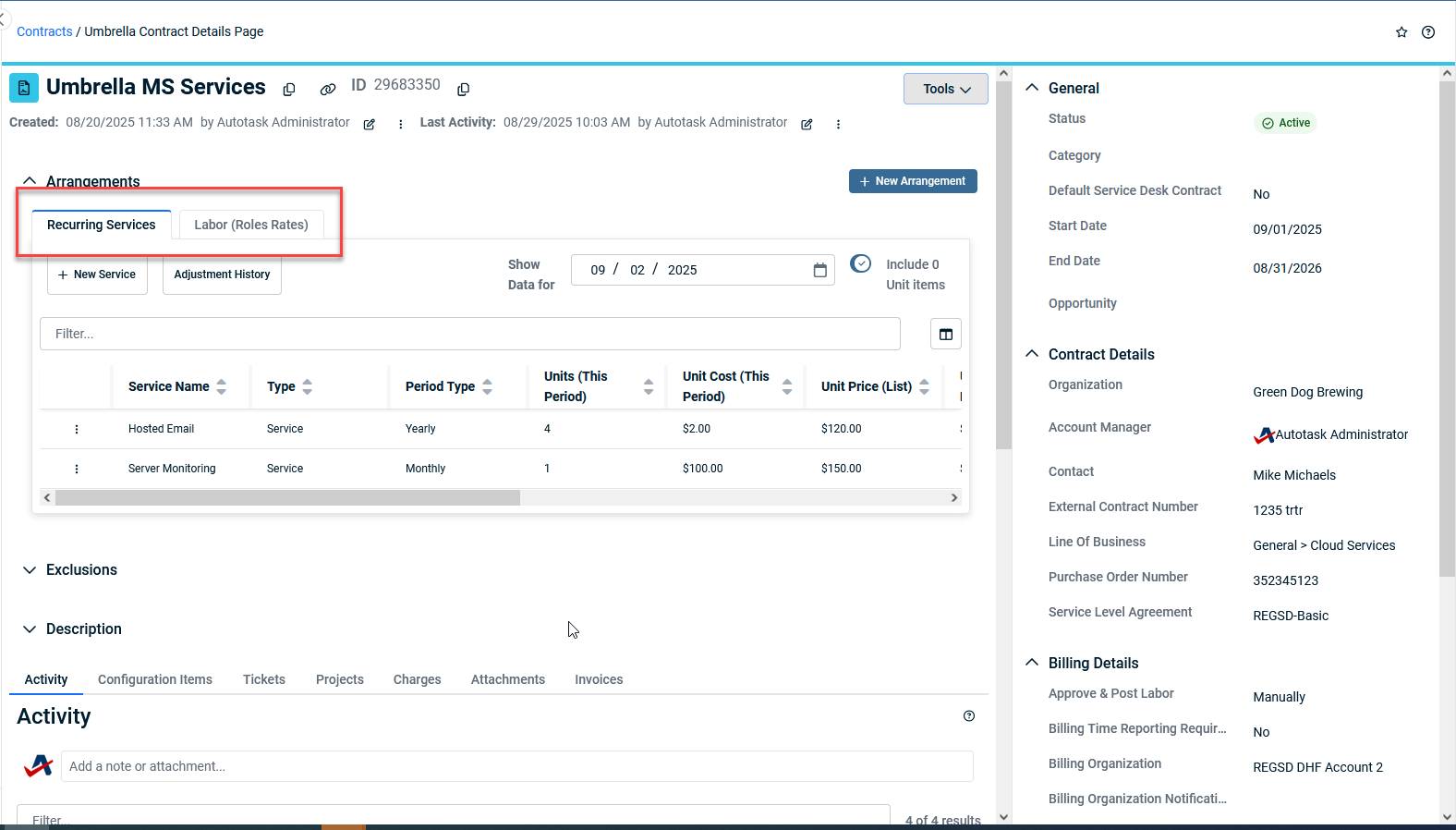
 Umbrella Contracts: Introduction
Key features and benefits:
-
Umbrella Contracts are available as a new contract type and can be linked to CRM accounts.
-
Supported arrangement types in this phase: Services and Time & Materials (legacy contract types).
-
All contract activities, edits, and rule changes are tracked in the umbrella contract activity and history tabs.
-
UI enhancements include in-frame drawers, table search/filtering, and in-line editing, available throughout the Umbrella Contract interface.
-
Service Bundles are not supported in Umbrella Contracts; all other legacy contract functions are maintained.
-
No migration function is provided; users can adopt Umbrella Contracts at their own pace.
-
LiveReports, API, and Data Warehouse updates for new fields/entities will be delivered in a future release.
| Improved features | New features | Upcoming features |
|---|---|---|
|
|
|
Smart Accounting Hub for QuickBooks Online one-click setup
You can now seamlessly connect your Autotask account to QuickBooks Online with just one click. This streamlined setup process leverages OAuth Token Exchange for secure API connections, ensuring your data remains intact even during disconnections. The intuitive setup wizard guides you through a simple three-step process.
List of improvements and fixes in this release
| Type | Summary |
|---|---|
| Fix | Editing a company location now completes as expected, without the page getting stuck loading after saving. |
| Fix | Status colors now display correctly for service call tasks. |
| Fix | Searching notes with multibyte characters (such as Japanese, Chinese, or Cyrillic) now works correctly. |
| Fix | Backend errors that could cause failures when creating entities have been resolved. |
| Fix | Child checklist items are no longer duplicated or misnumbered when creating tickets. |
| Fix | Saving recurring ticket templates now works without errors. |
| Fix | To-do items for enabling integrations now clear as expected once the integration is enabled. |
| Fix | The API now correctly provides pagination URLs for retrieving all contract service unit data. |
| Fix | ‘Free Time’ appointments will no longer sync to Autotask if this setting is disabled. |
| Fix | Accessing the Smart Accounting Hub no longer requires enabling the QuickBooks Web Connector Module. |
| Fix | The Integrated Customer Billing activity log now only shows relevant billing types and mapped accounts. |
| Fix | All configured notifications for tickets are now sent as expected. |
| Fix | Ticket status now updates correctly when set to Complete via form template or merge. |
| Fix | The total in graph widgets now matches the sum of individually rounded hours. |
| Fix | Logging out of the Client Portal now returns users to the correct company-specific login page. |


